
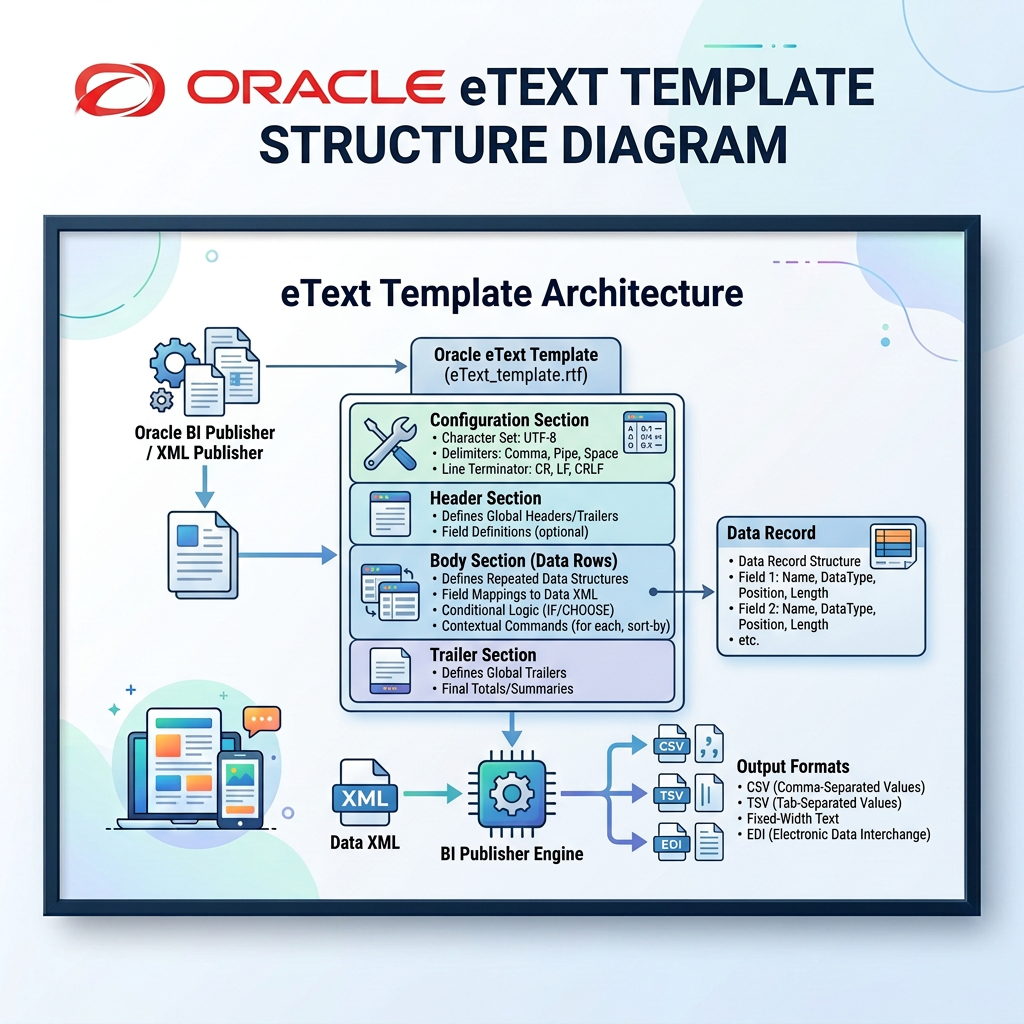
eText templates are specialized RTF layouts in Oracle BI Publisher designed to generate structured, flat-file outputs—such as payroll interface files, bank payment files, and EDI integrations. Unlike traditional PDF or Excel templates, eText templates focus on producing clean, machine-readable text files where precision and layout consistency are critical.
In enterprise integrations, receiving systems expect data delivered in strict, predefined structures. Depending on requirements, eText templates achieve this using two primary formats: Delimiter-Based or Fixed-Position
🔍 What Is a Delimiter-Based eText Template?
A delimiter-based eText template separates individual fields using a designated character, such as a pipe symbol (|), comma, semicolon, or tab. The exact position of each field isn’t bound by character counts; instead, the receiving application reads fields based on delimiter placement.
📌 Example:
EMP001|Rahul|Parit|Active
In this pipe-delimited record, the receiving system easily identifies Employee Number, First Name, Last Name, and Status as distinct fields.
📐 What Is a Fixed-Position eText Template?
A fixed-position eText template mandates that every field begins at an exact character position and maintains a strict length. If a data value is shorter than its allotted space, padding characters (like spaces or zeros) are added. If it exceeds the limit, it gets truncated based on your logic.
📌 Example:
- Pos 1–10: Employee Number
- Pos 11–30: First Name
- Pos 31–50: Last Name
This rigid format is standard for EFT bank files, payroll clearinghouses, and legacy mainframe systems where character position is paramount
📊 Key Differences –
| ⚡ Aspect | 🛠️ Delimiter-Based eText | 📐 Fixed-Position eText |
| Field Separation | Separated by characters like |, ,, or TAB. | Placed at strict, predefined character positions. |
| Field Length | Flexible; boundaries depend on delimiters. | Fixed length with specific padding rules. |
| Setup Columns | Maximum Length, Format, Data, Comments. | Position, Length, Format, Pad, Data, Comments. |
| Readability | High readability; easy to manual-audit. | Low readability; column alignment is critical. |
| Best Used For | HR extracts, CSV exports, standard flat files. | Banking/EFT payments, NACHA, legacy interfaces. |
| Primary Risk | Missing delimiters shift field mapping. | Incorrect padding or length shifts entire rows. |
🎯 When to Use Which Template?
- Choose Delimiter-Based when: The target system accepts flexible field lengths separated by specific characters. Ideal for general HR interfaces, employee master syncs, and data exports.
- Choose Fixed-Position when: The receiving system specifies explicit start positions and field lengths. Essential for banking formats, statutory tax filings, and legacy integrations.
💡 Quick Decision Rule:
If your receiving system counts columns by delimiters, go Delimiter-Based.
If it counts character positions, go Fixed-Position!
Leave a Reply